
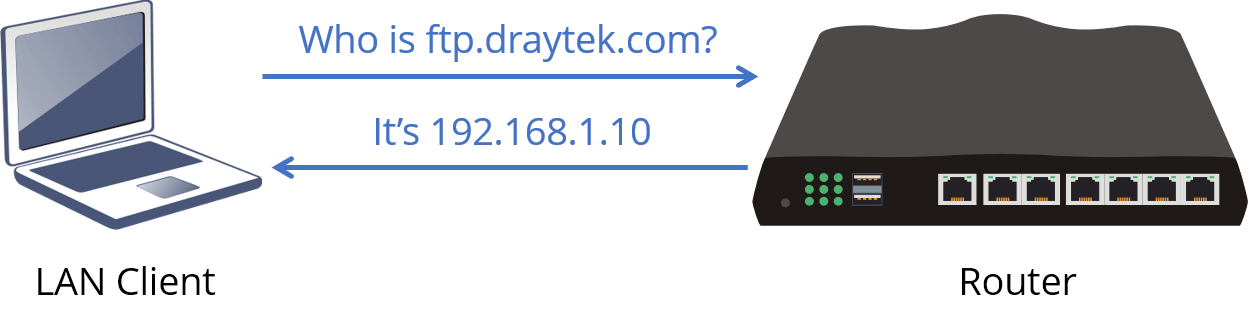
This document introduces the LAN DNS feature. With LAN DNS, the Vigor router can act as a DNS server and answer the DNS queries from LAN clients. We may designate up to 20 hostnames to the servers on the LAN network, so the LAN clients can access the services via an easy-to-remember name instead of IP addresses. Here we use an FTP server as an example. With the configuration, when LAN clients try to access ftp.draytek.com, they will reach the FTP server on 192.168.1.10.
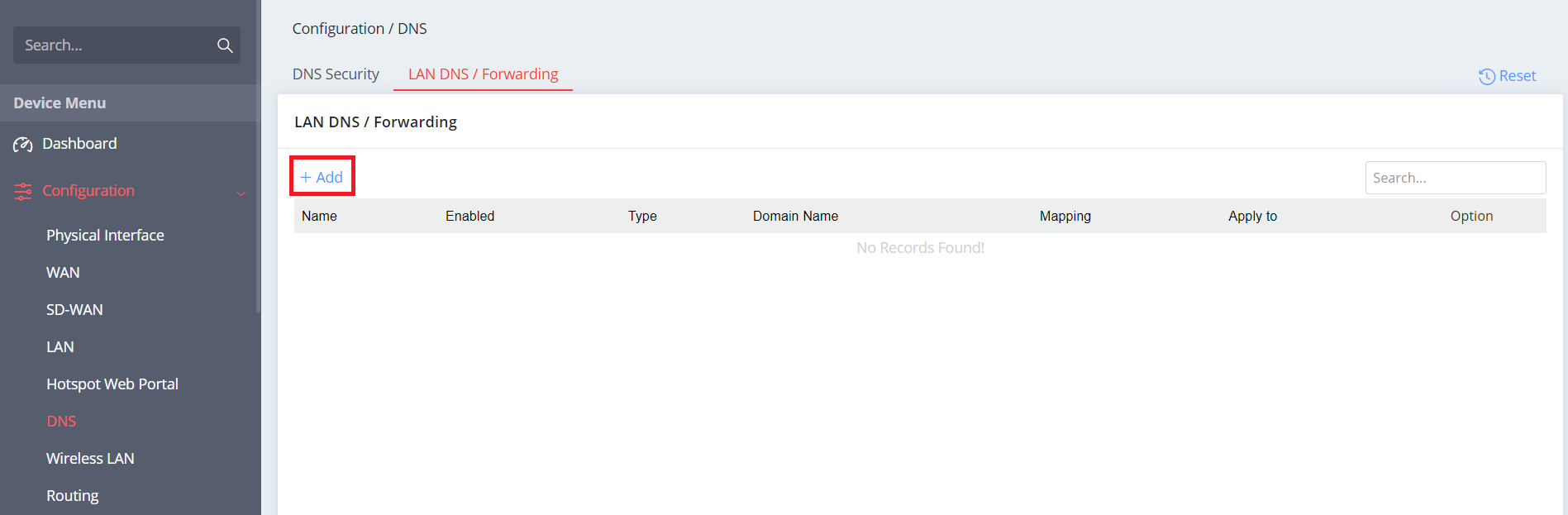
Go to Configuration>DNS>LAN DNS/Forwarding
- Click + Add
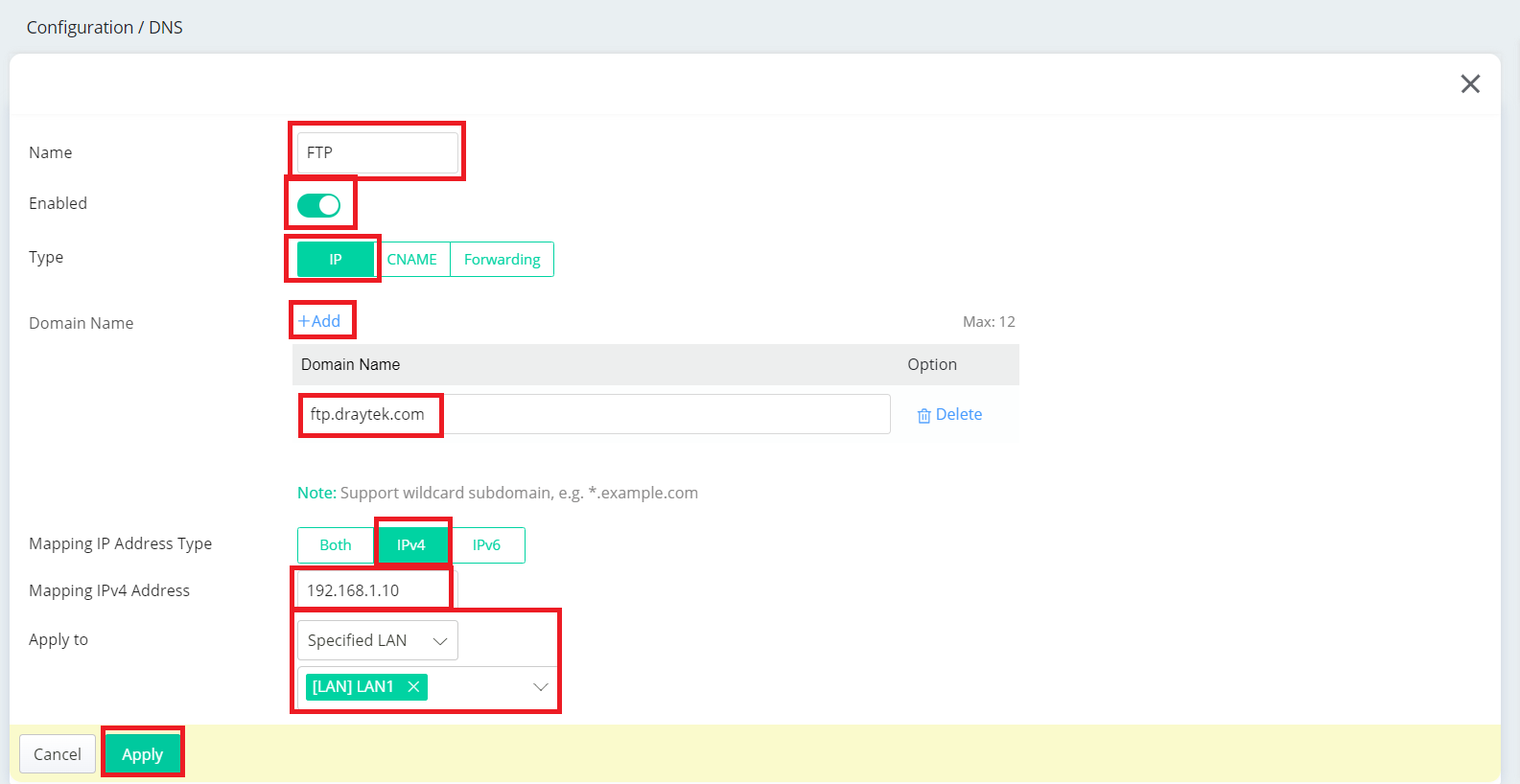
2. Enter the following details
- Give a profile Name
- Select Enabled
- Select IP Type
- Click + Add to enter the domain name of the internal server
- Select IPv4 as Mapping IP Address Type
- Enter the Mapping IP Address
- This domain name can be applied to All LANs or a Specific LAN only
- Click Apply to save the setting
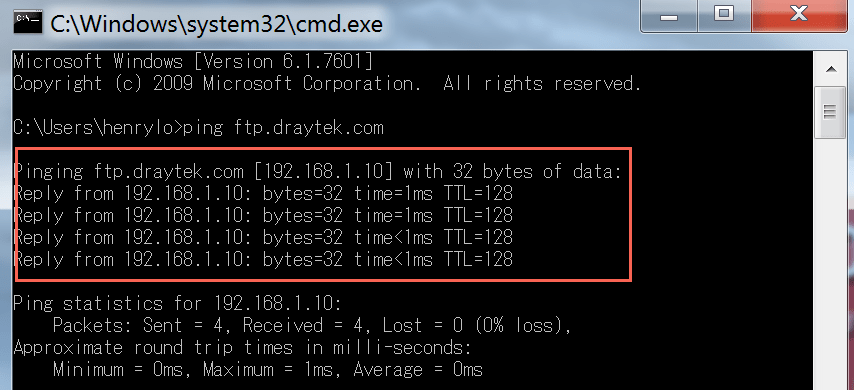
When pinging ftp.draytek.com from subnet 192.168.1.0, we should receive responses from 192.168.1.10 with the above configuration.
Comments
0 comments
Please sign in to leave a comment.